
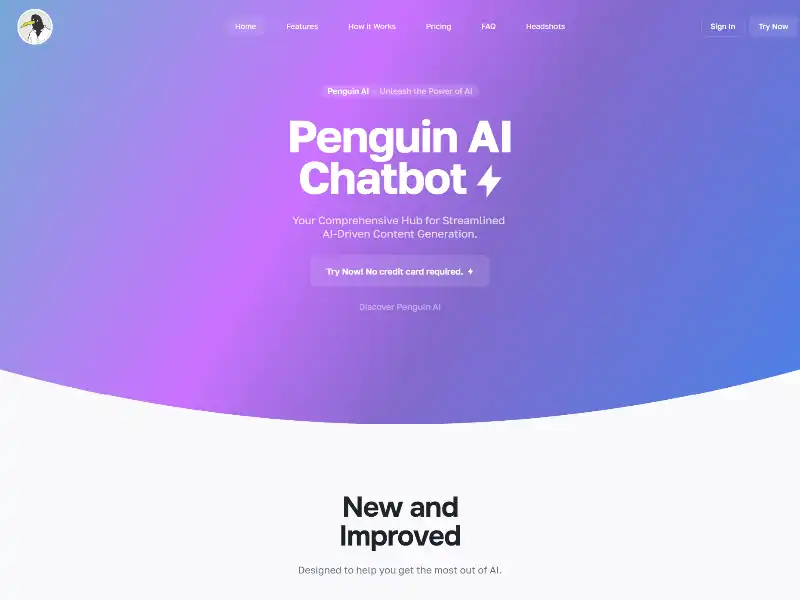
Penguin AI: Your All-in-One Creative Playground
Imagine a web tool that lets you produce polished text, beautiful visuals, working code snippets, voice-to-text transcripts, and guided chat conversations—all in one place. That’s Penguin AI by Curious Penguins. It’s an intuitive platform designed to help creatives, marketers, developers, and learners move from idea to output in just a few clicks.
Getting Started: Smooth Onboarding
Register takes under half a minute—seriously, it’s fast. You can begin with a free trial that doesn’t require a credit card. Once inside, you decide whether to subscribe or top up with token packs. Annual plans offer savings and generous quotas. Choose between tiers like GPT‑3.5, Davinci, or GPT‑4, each with a defined number of word and image tokens, or grab one-time bundles if you prefer pay-as-you-go .
What You Can Do: A Quick Tour of the Tools
Here’s a breakdown of Penguin AI’s main workstations:
Text Generation Wizard
Pick a tool for article drafts, social updates, product descriptions, or FAQs. Enter a topic or prompt, choose a tone and length, then generate. Within seconds, you get ready-to-edit, publishable text. You can regenerate, fine-tune or export your content right in the same editor .
Image Maker
Use built-in support for Stable Diffusion and DALL·E to create visuals without any downloads or setup. Just type in your idea—say, “sunlit street market at golden hour”—and watch it render crisp, colorful images you can refine and save instantly.
Code Snippet Generator
Need HTML, CSS, JavaScript, Python or PHP? Ask Penguin AI to scaffold a UI component or provide backend logic. Great for building prototypes fast or getting unstuck during development .
Chatbot Mentor
Want advice on finance, travel, design, productivity, or language learning? This built-in chatbot acts like a personal expert, guiding you through questions conversationally across dozens of domains .
Audio Transcription
Upload an audio or video file and you’ll get a clean transcript in minutes. Ideal for podcasts, lectures, meetings, or accessibility. Simple—upload, extract, review, export.
Templates & Custom Prompts
Choose from dozens of preset prompt templates—blog intros, headline generators, social captions, summaries, product names, or email drafts. If nothing fits your workflow, you can create your own template and reuse it later .
Step-by-Step Use Cases
Here’s what a practical session might look like:
1. Writing a Blog Post in Minutes
- Log in and pick the article generator tool.
- Enter your topic, like “Best eco travel hacks for 2025.”
- Select the sections you prefer and tone (casual, professional, friendly).
- Generate an outline or full draft, then polish it as needed.
- Export or copy to your platform of choice.
2. Crafting Social Copy and Visuals Together
- Choose the social media or ad caption template.
- Provide product or brand details and desired style.
- Generate multiple options: captions, hashtags, headlines.
- Tweak what you like, then copy to publishing or scheduling tools.
- For images, use the image generator tool to produce matching visuals.
3. Building a Quick UI Component
- Ask the code tool: “Create a React component showing a product card.”
- Receive HTML + CSS + JavaScript or React code.
- Copy into your project, test, and adjust as needed.
4. Transcribing a Recording
- Upload a lecture, podcast segment, or meeting.
- Let the transcript tool run—usually done in minutes.
- Review and correct any errors.
- Export as text or Word document.
Each module shares a clean, consistent layout, so switching between writing, code, images, and transcription feels seamless.
Pro Tips for Best Results
- Start strong with prompts: add context, specify tone and length, and describe your format.
- If the result isn’t perfect, hit regenerate or tweak your prompt.
- Use built-in editing tools rather than switching apps.
- Keep an eye on token use—your plan determines how many you get.
- Build custom templates for tasks you repeat often.
- Take advantage of multi-language support to generate content in other tongues.
Who Benefits Most?
- Content creators and bloggers looking to draft articles and visuals quickly.
- Social media managers and marketers producing campaigns, ad copy, and graphics.
- Startup teams or solo developers/designers needing fast prototypes or polished collateral.
- Educators, students, and trainers capturing transcripts, preparing materials, or using chat-based tutoring.
Penguin AI brings professional outcomes within reach of non-technical people.
Pricing Options That Flex
There are several plan types to match various needs:
- Monthly subscriptions priced based on model tier (e.g. GPT‑3.5, Davinci, GPT‑4), each with fixed word and image tokens.
- Annual subscriptions offering around 30% savings and roughly double token limits.
- One-time token packages in sizes like 10k / 50k / 100k tokens for flexible use .
Because everything is token-based, you pay in proportion to how much you create—transparent and scalable.
Behind the Scenes
Penguin AI is built on OpenAI’s GPT models and DALL·E image model. It combines these engines inside a guided, user-friendly interface. You don’t need coding knowledge or API keys—just clear prompts and a browser. Want to build custom chatbots or reusable prompts? That’s easy too. Templates and chat flows are fully editable and shareable among team members .
Final Thoughts
Penguin AI delivers practical, polished workflows for text, visuals, code, chat, and transcription—all in one sleek app. It removes fragmentation and streamlines creative and technical tasks. Whether you’re focused on content creation, marketing, development, or education, it’s designed to help you move from idea to finished work faster and with less friction.
No complicated setups, no multiple tools, just simple prompts and instant output. It’s like having a creative assistant that lives in your browser—ready to help you write, design, prototype, transcribe, and interact. You get freedom, speed, and quality in a single space.
Ready to see how quickly you can go from concept to content? Start with the trial today, and explore how Penguin AI can streamline your workflow and bring your ideas to life.







 English
  Arabic
  Spanish
  German
  French
  Russian
  Chinese
  Italian